Company Backbone for out of home
Sell more faces.
Collect every dollar.
Find the open billboard, build the sales presentation, get the contract signed, create the install, send the invoices, collect the balance, and start the renewal. Enter the sale once.
A real operating example
Answer "what is open?"
while the buyer is waiting.
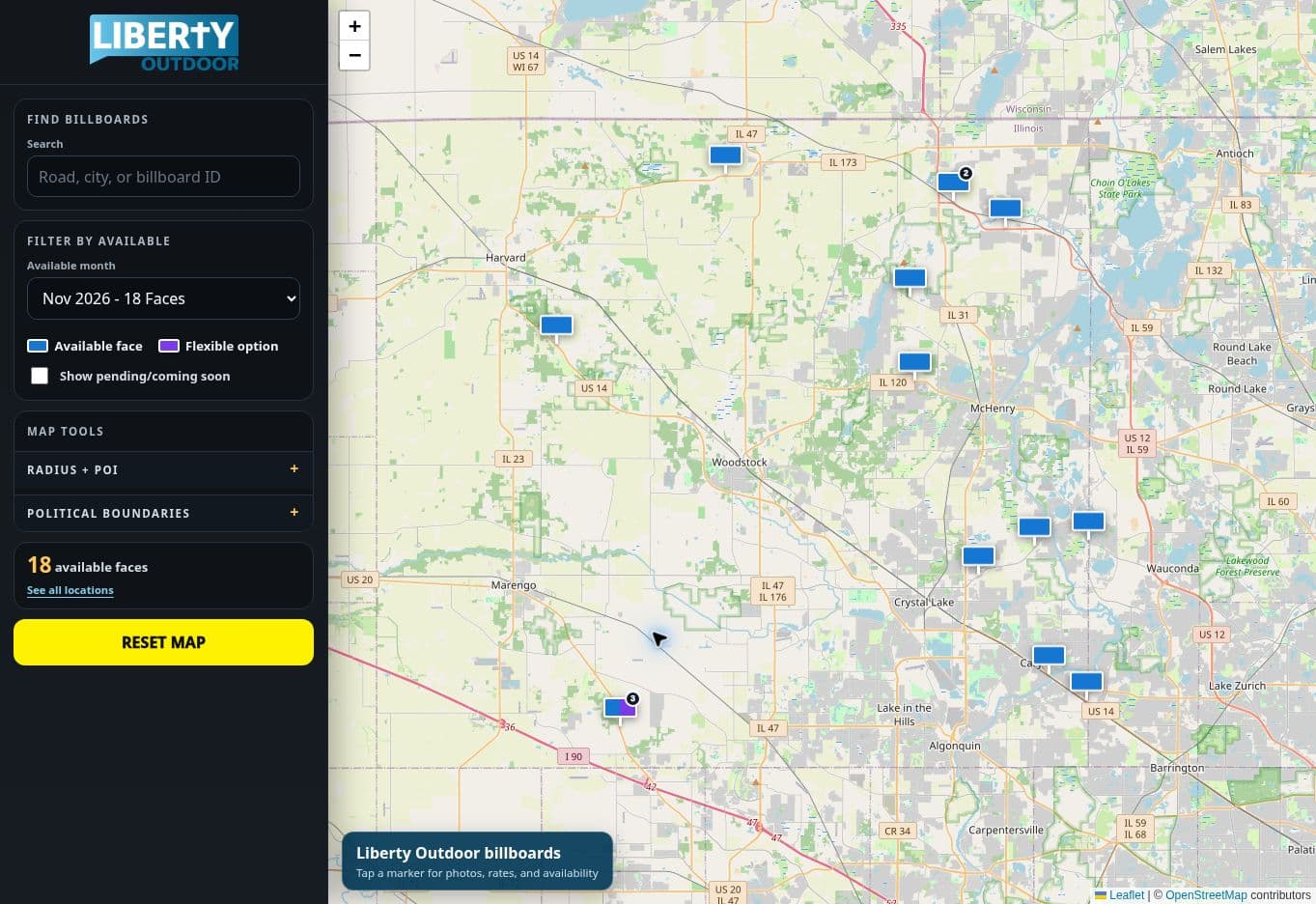
These views come from Liberty Outdoor's live account. Pick the dates, see the open faces, and move them directly into the proposal. No reconciling a map against separate booking records before the sales presentation can go out. Customer and commercial information has been excluded.
When we started with Company Backbone, it was clear the goal was to make the software fit our systems and processes — not the other way around. What began as a simple location, inventory, and mapping tool grew into automated work orders with completion tracking for our install and vegetation crews. From there we kept throwing ideas at them, and implementation never took more than a few days. We added email integration that logs every conversation with a customer, lead, or property owner, then connected directly to QuickBooks — a safety check that confirms everything we contract gets billed and collected, syncing customers, contacts, and invoices automatically and cutting out a lot of duplicate entry. We also have a handful of solar lighting installations, and Company Backbone ties into that system for real-time reporting on overnight usage and battery voltage, flagging anything that needs inspection and creating the work order itself. I can't overstate how easy they've made this, or how happy we are with the results.
— Liberty OutdoorInventory map and availability
Replace the availability
treasure hunt.
Enter the campaign dates and geography. The map returns faces that can be sold, with the location, photo, format, and specifications already attached. This cuts the internal back-and-forth before a rep can answer a buyer and reduces the chance of proposing occupied space.
- Less time checking calendars and sheets
- Faster answers to buyer requests
- Fewer conflicting holds and bookings
- Partner units considered without a second map
Map-based proposal builder
Build the proposal
without rebuilding the data.
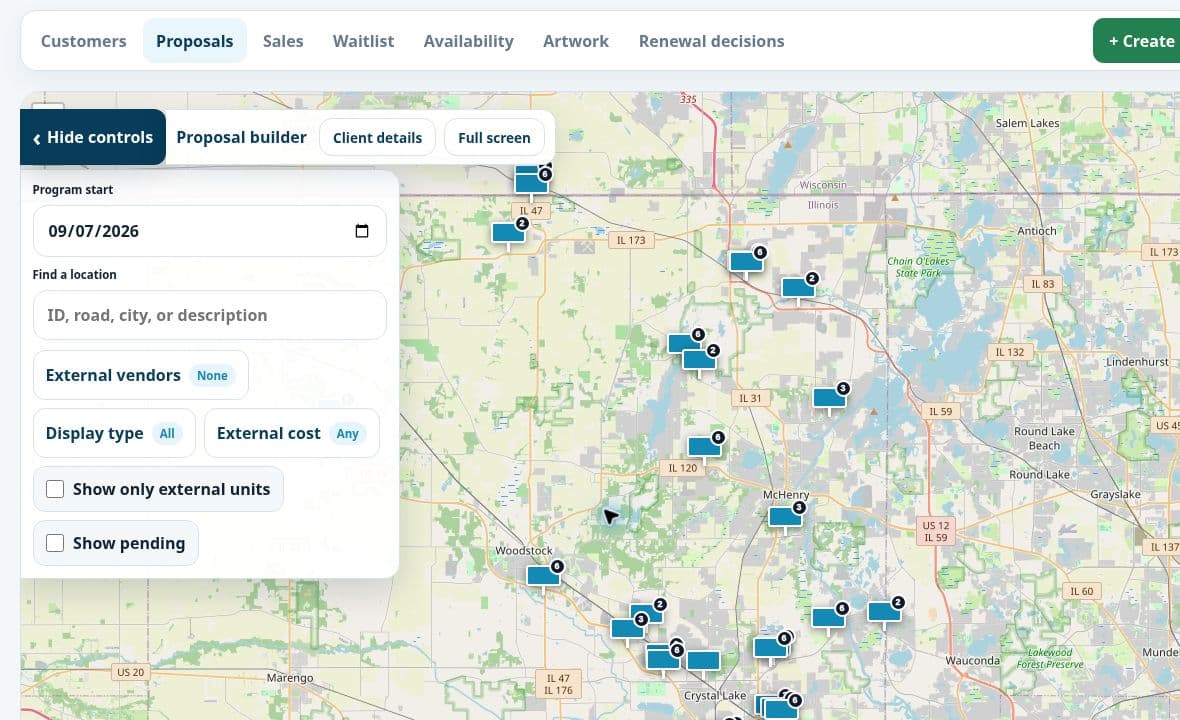
The seller selects the same live faces shown on the map. Their photos, specifications, dates, and rates move into the proposal. Outside-vendor cost remains visible while pricing, which helps prevent a pass-through placement from quietly eroding margin.
- No retyping unit details into a deck
- Cost visible before the rate is approved
- Pending faces included or excluded deliberately
- Signed terms remain tied to the sold units
Proposal to collected revenue
A signed contract
is not the finish line.
Company Backbone moves every sale through one automated flow: approved proposal, executed contract, scheduled invoices, and active collection tracking. Each completed step creates the next one. Anything incomplete stays visible until someone resolves it.
The result: work that has been sold gets billed, and revenue that has been billed gets collected.Proposal approved
The selected faces, campaign dates, rates, production charges, and customer details are already in the system.
→Contract executed
The signed agreement confirms exactly what was sold and triggers the next required steps.
→Invoices created
The signed terms automatically create the contracted billing schedule and invoice work, without rebuilding the sale from an email or PDF.
→Payment collected
Payment status becomes collection work. Open invoices and overdue balances remain visible and actionable until the revenue is received.
No missing invoice after the install
The campaign record connects what was contracted, what has been completed, and what still needs to be invoiced. The office does not have to rely on a separate reminder or the salesperson's memory.
No quiet overdue balance
An unpaid invoice remains an open responsibility with an owner and status. It does not disappear into an accounting report that nobody checks until months later.
No gap between departments
Sales, operations, and accounting work from the same customer, campaign, rate, and dates, reducing billing corrections and collection delays caused by missing information.
Five jobs from one sale
Enter it once.
Get paid from it.
Enter the request once
Capture the advertiser, dates, geography, format, budget, and next follow-up in the opportunity.
Show only open faces
Filter actual availability instead of cross-checking a spreadsheet, calendar, map, and someone else's memory.
Price with cost visible
Select placements, terms, and rates while outside-vendor cost remains visible before the proposal leaves the office.
Create the work
Carry the sold faces, artwork, dates, and instructions into assigned installs and collect completion photos from the field.
Invoice, collect, and resell
Bill what was contracted, keep unpaid balances assigned until collected, and create the renewal task before the face goes empty.
The reason to buy it
What each module
stops costing you.
Less duplicate entry. Faster sales presentations. Fewer booking errors. Lower drive time. Protected rates. Every contract billed. Every balance tracked. Fewer empty days between advertisers.
Sales and CRM
A rep opens one record and sees the contact, last conversation, proposed faces, next follow-up, and renewal date. No searching email, notes, and a CRM before making the call.
Inventory and faces
Enter a location, face, photo, size, illumination, coordinates, and rate once. The same record feeds availability, proposals, work orders, property records, and reporting.
Availability and waitlist
Pick the campaign dates and see which faces are actually open. Holds, sold periods, flexible inventory, and waitlisted demand stay visible, reducing double-booking and missed sales.
Proposals and e-sign
Select faces on the map and reuse their photos and specifications in the proposal. Rates, terms, outside-vendor cost, approval, and signature stay attached to the deal instead of being retyped.
Artwork and production
Keep the approved creative, vinyl status, due date, and affected faces together. Sales and operations stop chasing attachments and installing the wrong revision.
Field operations
A signed program becomes assigned install work with artwork, directions, priorities, and due dates. Crews upload completion photos from the job, removing a second round of office data entry.
Property and compliance
Lease terms, landowners, permits, documents, and notice dates sit beside the structure they govern. Alerts surface upcoming obligations before a lapse, late fee, or avoidable emergency.
Billing, collections, and renewals
Signed terms create the invoice work. Completed work confirms what is ready to bill. Every unpaid balance stays assigned until collected, and expiring programs return to sales before the face goes empty.
Monitoring and customer access
Equipment exceptions can create actionable maintenance work. Customers can approve proposals and artwork directly, shortening the email loop and protecting billable display time.
Your OOH company is not generic
Your rules are
not feature requests.
Sell wraps before individual faces? Bill monthly or every four weeks? Broker outside inventory? Use different production, lighting, or installation charges? Need a signed contract to create a specific set of work orders and invoices? Our dedicated programming team adapts Company Backbone to those rules.
No waiting months or years for a generic software company to decide your workflow matters.
You work directly with a team that learns your operation, builds the change inside the platform, and keeps improving it as the company grows.
- Your terminology and record details
- Your pricing and approval rules
- Your sales-to-install handoffs
- Your billing and collection process

Prove it with your own sale
Bring one real request.
Follow it to collected cash.
Use actual campaign dates, inventory, and pricing. We will run the sale through presentation, contract, install, invoices, and payment, then identify the changes our programmers would make for your company.